You can't review every command. So stop having to.
Agent mode is most useful when you let it run — npm install, scaffold, migrate, retry. But every one of those commands executes somewhere, and per-command approval dialogs train you to click Allow without reading. The honest fix isn't more dialogs; it's making the blast radius someone else's filesystem.
With the sandbox on, the agent's shell is a real Linux machine that isn't yours. It can rm -rf to its heart's content — the VM's root is disposable, and your Mac's disk was never in the room.
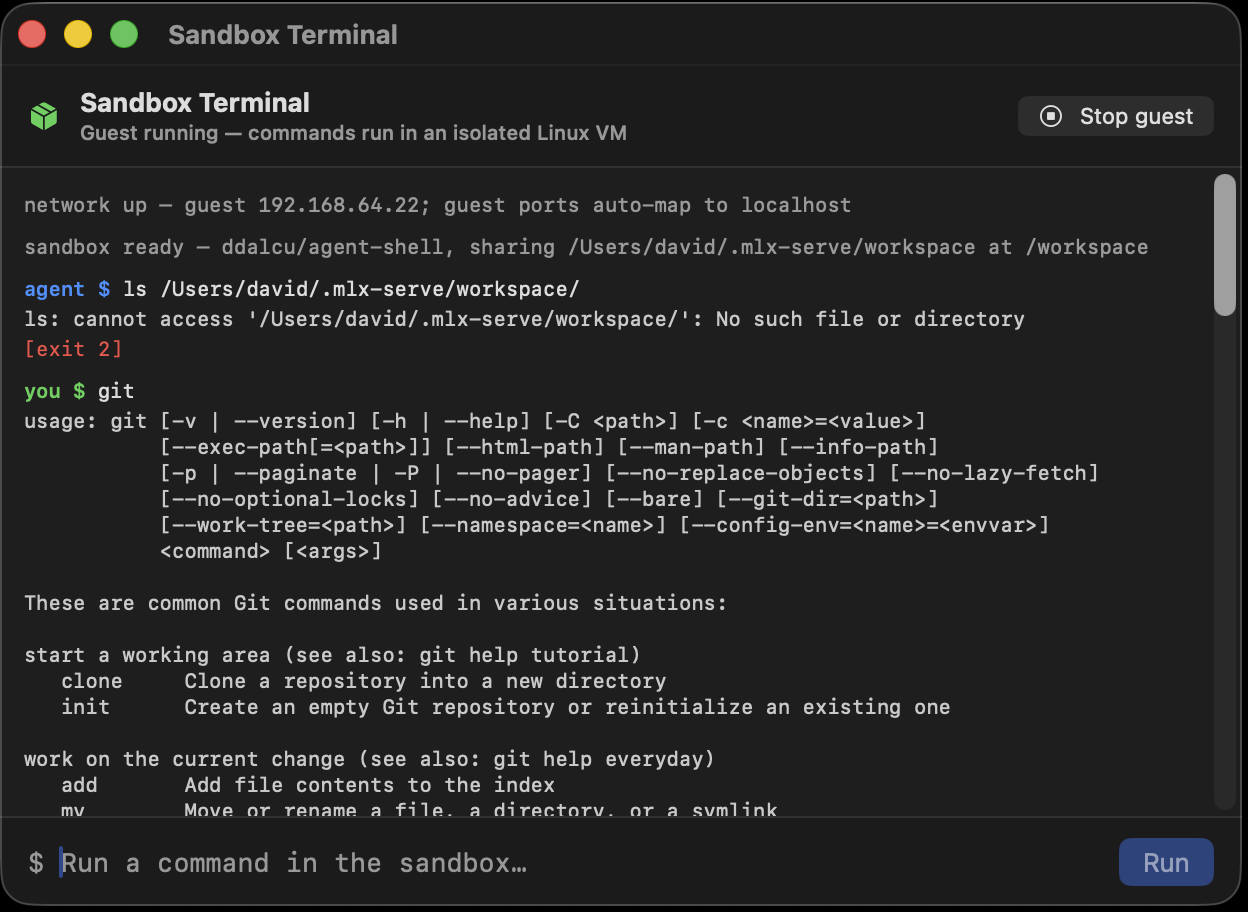
A real VM that behaves like a lightweight one
This is Apple's Virtualization framework driving a minimal Linux kernel — the same foundation apps like UTM ship on, Mac App Store-compatible, no kernel extensions, no Docker daemon. The root filesystem is a standard OCI container image, pulled directly (no Docker required) and shared into the VM on demand, so the guest needs only ~1 GiB of RAM and cold-boots in under a second.
The agent is also told which environment it's in — so it reaches for apt inside the VM instead of brew, and vice versa when the sandbox is off.
- Apple Virtualization framework — hardware-enforced isolation, signed by the OS vendor.
- OCI images as rootfs — pull any standard container image, no Docker.
- Sub-second boot, ~1 GiB RAM — cheap enough to leave on always.
- Background processes tracked — the chat shows what's running in the guest, with a kill button.
Guest servers appear on your localhost. Live.
The classic sandbox pain: the agent builds you a web app, and now it's trapped in a VM you can't reach. Here, every port the guest starts listening on is mirrored to localhost on your Mac automatically — the agent runs an Express app on guest port 8080, and http://localhost:8080 opens it in your browser, live, while it runs.
Mirroring binds loopback only — nothing is ever exposed to your LAN. And networking itself is a separate toggle: switch it off and the VM gets no network device at all.
$ node server.js &
Listening on port 8080

# on your Mac, automatically:
http://localhost:8080  → the guest app, live
# loopback only — never your LAN, never the guest IP
Exactly one shared folder. You picked it.
The only piece of your Mac the guest can see is the workspace folder you chose, mounted at /workspace — and it follows your working-folder switch automatically. That's where the agent's deliverables land; everything else on your disk simply doesn't exist from inside the VM.
A live RAM readout for the guest sits in the menu-bar tray, and the whole sandbox — image, kernel, caches — lives under ~/.mlx-serve/sandbox/ where you can delete it any time.
- Files: only
/workspacecrosses the boundary. - Network: on = DHCP inside the guest + loopback mirroring; off = no device.
- Visibility: green shield in the toolbar, guest RAM in the tray.