mlx-serve/Comparison · Ollama

Keep the Ollama workflow.
Upgrade the engine.

mlx-serve speaks the Ollama API natively. Your clients, plugins, and CLI habits work unchanged — on an engine that also runs native MLX with the Apple Silicon optimizations Ollama can't ship.

Download for Mac The one-line swap
11434 → 11234 is the whole migration MLX + GGUF, one server MIT licensed

Change one URL. Keep everything else.

Every Ollama-connected tool — Raycast, Obsidian, Enchanted, Open WebUI, ollama-python/js — works against mlx-serve unchanged. The CLI habits carry over too.

Your clients
# wherever a tool asked for your Ollama URL…
-  http://localhost:11434
+  http://localhost:11234

# …that's it. /api/chat, /api/generate, /api/tags, /api/show,
# /api/ps, /api/embed, /api/pull all answer natively.
Your terminal
mlx-serve run gemma4         # download + serve + chat REPL, one command
mlx-serve pull qwen3.6:27b   # resumable, straight from Hugging Face
mlx-serve list               # what's on disk
mlx-serve serve              # serve everything, models load on demand
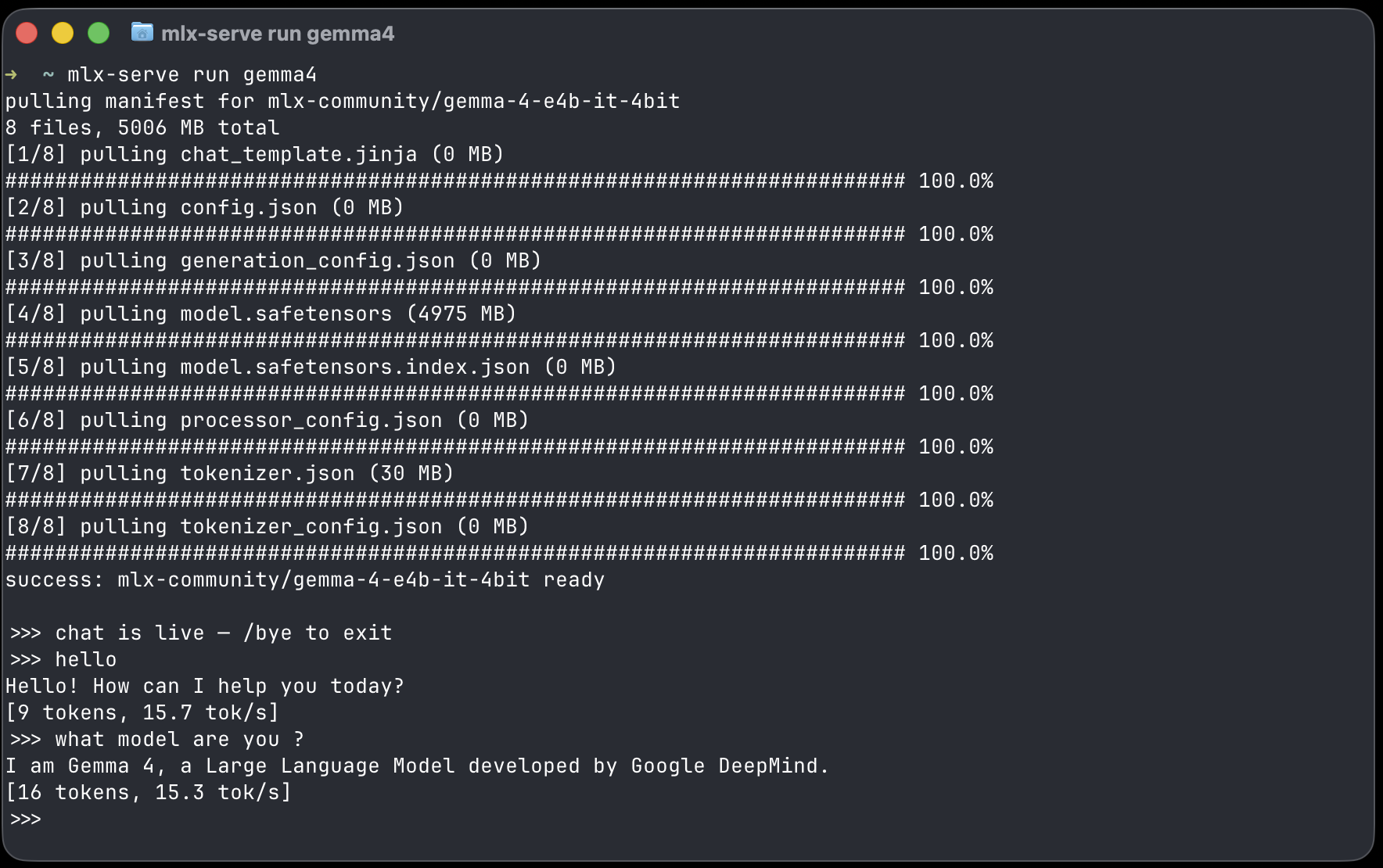
mlx-serve run gemma4 — terminal chat REPL with live tokens per second
mlx-serve run gemma4 — pull, serve, and chat with live tok/s, Ollama-style.

The whole wire, translated natively

Not a proxy in front of a different API — the server re-frames every Ollama request and response itself, so the details Ollama clients rely on survive.

Streaming

NDJSON, like Ollama does it

Line-delimited streaming with done_reason, eval_count, and prompt_eval_count — the fields dashboards and plugins actually read.

Tools

Tool calls, object arguments

Ollama-style tool calling with arguments as JSON objects, both directions — including models whose raw output needed API-layer repair first.

Thinking

think → thinking

Reasoning models stream their thought channel into Ollama's thinking field, cleanly separated from the answer.

Formats

JSON mode & schemas

format: "json" and full JSON-schema constraints translate to grammar-constrained decoding — fence-happy models can't break your parser.

Names

qwen3.6:latest just resolves

Tagged names, basenames, and unique substrings match against what's on disk — the naming style Ollama clients send by default.

Pull

/api/pull, from HuggingFace

Clients can trigger model downloads through the API; mlx-serve pulls resumably into the same store the GUI app uses.

Why switch

Ollama can't run MLX. Your Mac wants MLX.

Ollama serves GGUF through llama.cpp — solid, but it leaves Apple-specific performance on the table. mlx-serve runs native MLX models through Metal kernels via mlx-c, adds speculative decoding, a shared-prefix KV cache, KV-cache quantization, and continuous batching — and still embeds llama.cpp for everything that only exists as GGUF.

Same drop-in API. One server for both worlds.

  • Native MLX — the format Apple's own framework is fastest at.
  • Every GGUF too — embedded llama.cpp, auto-routed by file format.
  • Three more APIs — OpenAI, Anthropic (Claude Code), and OpenAI Responses on the same port.
  • A real Mac app — menu-bar chat, agent mode, model browser, media generation.

Ollama questions, answered

Is it really drop-in? What exactly is implemented?

/api/chat, /api/generate, /api/tags, /api/show, /api/ps, /api/embed (and the legacy /api/embeddings), /api/pull, /api/version — with NDJSON streaming, tool calls, thinking, images, format schemas, and name:tag resolution. Registry-style operations that don't map to a HuggingFace world (create/copy/push/blobs) return explicit 501s rather than pretending.

Will my Modelfiles work?

Modelfiles are Ollama's packaging format and don't apply — mlx-serve pulls models straight from HuggingFace (mlx-serve pull org/repo or short names like gemma4). System prompts and parameters come from your client's request or the app's settings instead.

Is it faster than Ollama?

For MLX models — a format Ollama doesn't support at all — yes, decisively; that's the headline of the benchmark page. For GGUF, both run llama.cpp; mlx-serve embeds a current build and adds a session LRU so multi-document agent loops stay warm.

Can I run both side by side while I evaluate?

Yes — they bind different ports (11434 vs 11234), so nothing conflicts. Point one client at mlx-serve, keep the rest on Ollama, and migrate at your own pace.

More deep dives

Your Ollama clients won't notice.
Your Mac will.

Install with Homebrew or grab the app — then swap one URL and keep working.