mlx-serve/Deep dive · Video generation

Text to video. Photo to video.
Soundtrack to video.

LTX-Video 2.3 runs natively on Apple Silicon — clips with synchronized audio, muxed straight to an mp4 on your desk. Start from a prompt, from your own photo, or from a voice clip your characters perform to.

Download MLX Core Talking characters
Audio included — synced, in the mp4 Validated tensor-by-tensor vs the reference Nothing uploaded, ever

Prompt, photo, or soundtrack

Text → video

Describe the shot

Type a prompt, pick a quality preset, get a clip with synchronized audio. The one-stage path runs guidance-free by default — ~2× faster per step with a more natural look.

Photo → video

Animate your own picture

Drop an image into the First-frame slot and the clip begins exactly from it — VAE-encoded on-device and locked as the clean opening frame, then animated forward.

Audio → video

Perform to a soundtrack

Attach speech or music, and the video is generated against that clip — timing, performance, and lip sync follow the audio, and the original recording lands in the mp4, not a re-synthesis.
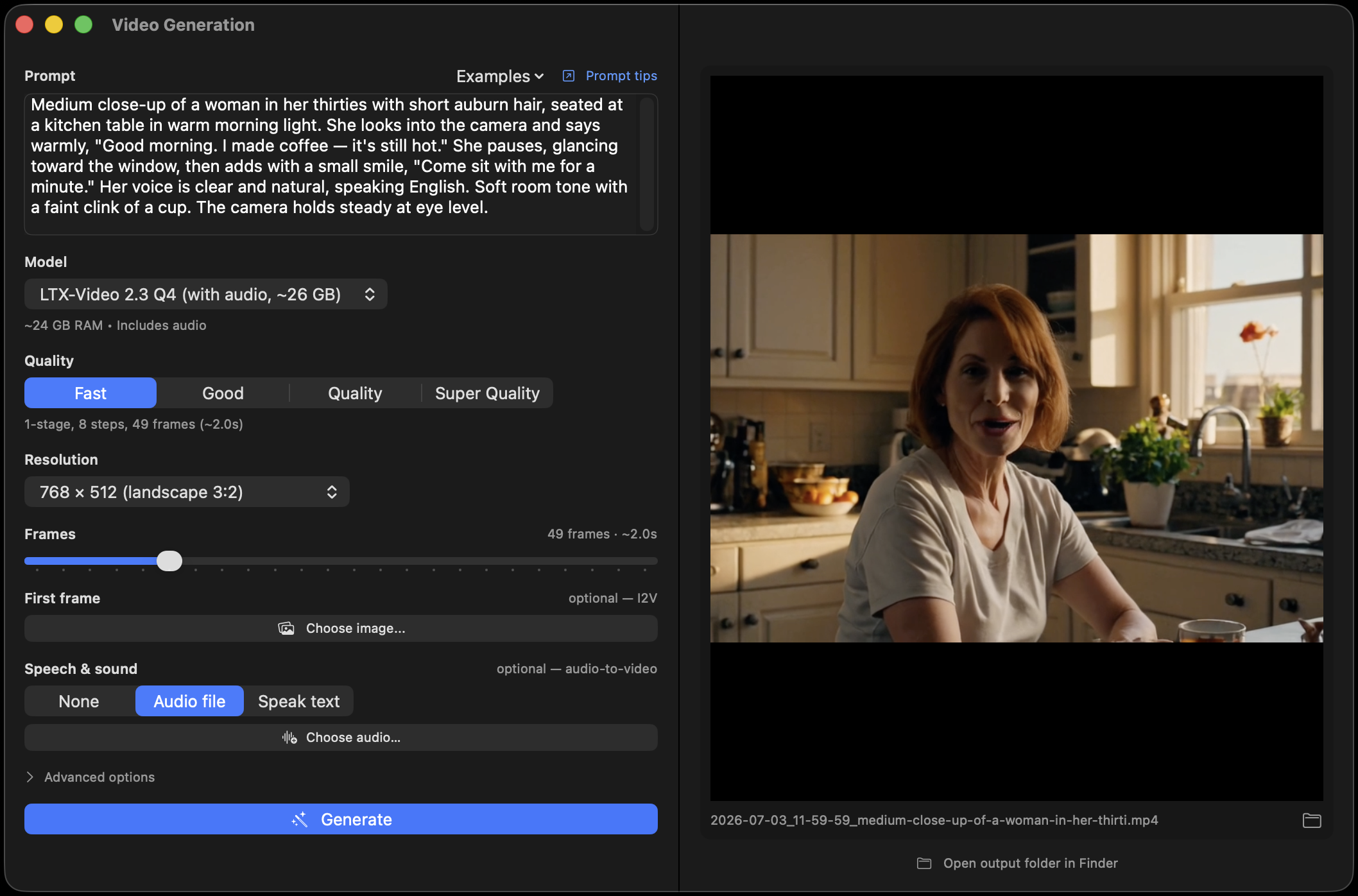
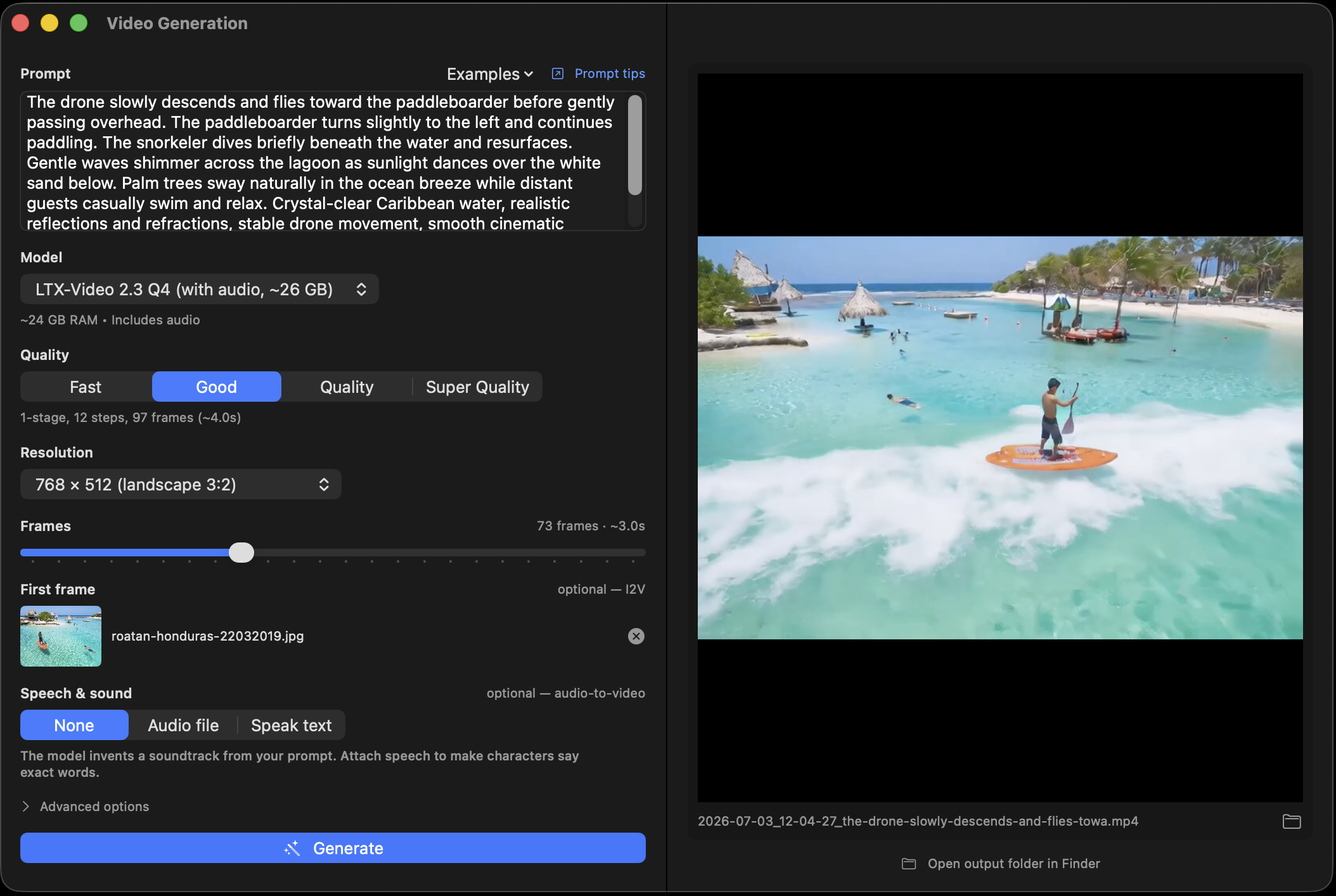
MLX Core Video generation pane with prompt, quality presets, first-frame slot, and Speech & sound section
The Video pane: prompt, presets, First-frame slot, and the Speech & sound section for soundtrack-driven clips.
Talking characters

Put the lines in quotes. They speak.

Write spoken words in quotes in your prompt — short phrases with acting directions between them — and LTX generates the voice, timed to the picture. Want a specific voice? Attach a real recording, or type a line and have the local Qwen3-TTS speak it — including a voice you cloned from a few seconds of reference audio.

Any WAV/MP3/M4A works, the frame count auto-fits the clip length, and audio guidance on the Quality presets steers toward clean speech — clearer voices, less stray background noise.

Video pane with a personal photo loaded in the First-frame slot and a speech clip attached
A photo in the First-frame slot plus a voice clip: your picture, performing your audio.
Quality presets

Fast when you're iterating, two-stage when it matters

The Fast preset runs the distilled one-stage pipeline. The Quality and Super-Quality presets run the full reference two-stage pipeline natively: a guided half-resolution pass on the dev model (CFG + modality guidance — Super adds a second-order sampler), a learned 2× latent upscale, then a distilled refine at full resolution.

Style LoRAs apply here too — the same runtime "filters on steroids" that restyle image generations restyle your clips, zero quality loss on the base weights.

  • Fast — distilled one-stage, guidance-free, ~2× faster per step.
  • Quality — guided dev pass → 2× latent upscale → distilled refine.
  • Super — same, with a second-order sampler on the guided pass.
  • LoRA restyle — attach a .safetensors, dial the strength.

What it takes to run

Local video generation is the heaviest thing a consumer Mac can do. Here's the real bill — once.

24 GB
recommended unified memory
~50 GB
one-time download — every quality preset included, switch offline
1 click
download lives right in the Video pane, resumable
$0
per clip, forever after

The app checks free RAM before starting and offers to stop the chat server if it's competing for memory. Outputs land in ~/.mlx-serve/generations/videos/, by date. API users: POST /v1/video/generations with prompt, optional first_frame_image, audio, pipeline, and lora_path.

Local video generation, answered

Does it really run on-device — no cloud render farm?

Really. The full LTX-Video 2.3 pipeline — diffusion transformer, 3D VAE, audio decoder — was ported natively to MLX and validated tensor-by-tensor against the reference implementation. Your prompts, photos, and clips never leave the Mac.

How does the soundtrack feature work?

The audio clip is encoded on-device and held fixed while the video denoises around it, so motion and lip sync follow the sound. The mp4 gets your original recording at native quality — trimmed to the clip length, never re-synthesized.

Can I use a cloned voice for the character?

Yes — the Speech & sound section chains into the local TTS: type the line, pick (or clone) a voice with Qwen3-TTS, and the generated speech drives the video. All three models run through the same local server.

Why is the download so big?

The ~50 GB snapshot ships both transformer variants (one-stage distilled + two-stage dev, ~11 GB each), the upscaler, and the Gemma text encoder — so every quality preset works offline without re-downloading. The downloader pulls only the files the engine actually reads, not the repo's full ~70 GB.

More deep dives

A film set on your desk.

Download MLX Core, grab LTX-Video with one click, and turn a prompt, a photo, or a voice memo into a clip — audio and all.