Record a short clip — or drop one in — and Qwen3-TTS speaks your text in that voice. Zero-shot, no training, no transcript. And because a voice is biometric data, it all runs on your Mac, never through a cloud API.
Open the Audio pane, record 6–8 seconds of any voice in-app (or pick a file — reference clips are normalized automatically), type your text, and generate. The model extracts a speaker embedding from the clip — a compact fingerprint of timbre and delivery — and conditions the synthesis on it. No fine-tune, no waiting, no dataset.
The embedding pipeline was validated bit-for-bit against the reference implementation — the clone you get locally is the clone the model's authors shipped.
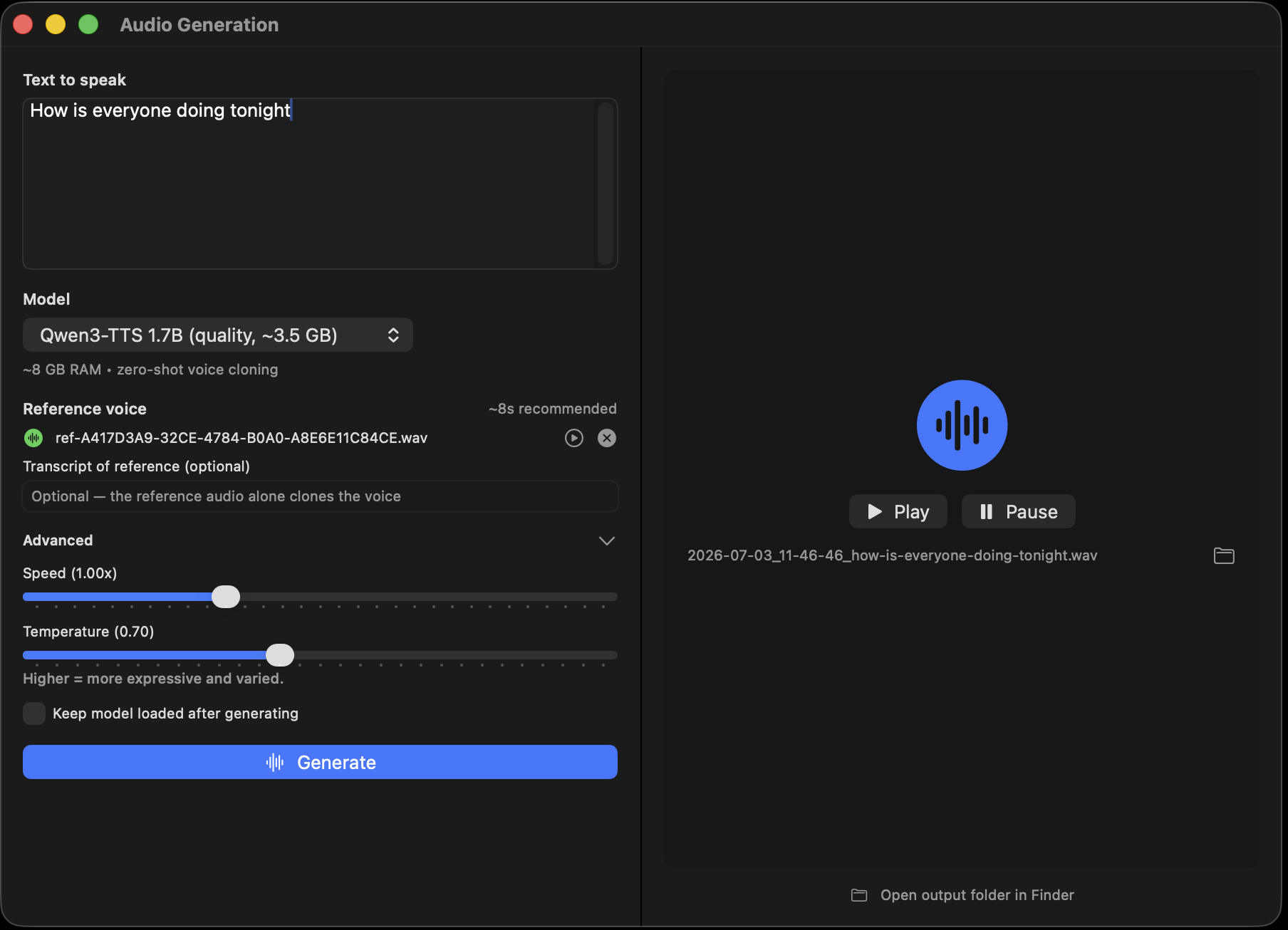
Voice is biometric data — the same signal that unlocks bank phone lines and impersonates you to your family. Cloud cloning services keep your reference uploads on their terms. Here, the recording, the embedding, and every synthesized sample stay on your Mac: no account, no upload, no retention policy to read.
Clone voices you have the right to use — yours, a consenting collaborator's, a character you own. The tool is local; the responsibility is too.
Even without cloning, Qwen3-TTS reads any text aloud in a natural neural voice — two model sizes, 0.6B (~1.5 GB) and 1.7B (~3.5 GB), both fine on an 8 GB Mac.
Chain it into video generation: type a line, have the cloned voice speak it, and the character performs to it — lip sync and all, original audio in the mp4.
POST /v1/audio/speech with input text and an optional base64 ref_audio clip — the same OpenAI-style shape your tooling already speaks.
The same audio stack powers "Hey Loki" Voice Mode — on-device speech recognition in, spoken replies out, no window open.
A few seconds — 6–8 is plenty. Record it in-app or drop in a file; clips are normalized automatically, and no transcript is needed.
No fine-tune — it's zero-shot. The model computes a speaker embedding from your clip in a moment and conditions generation on it immediately. Cloning is as fast as generating.
The speaker-encoder port is bit-exact against the reference implementation, so fidelity matches what the Qwen3-TTS authors published. Quality scales with the reference clip: clean, close-mic audio clones better than a noisy room.
Yours, and anyone's who gave you permission. Running locally means no service is policing you — which means the judgment is yours. Don't impersonate people.
Download MLX Core, grab Qwen3-TTS with one click, and hear your words in any voice you have the right to use.