Describe. Generate. Keep every take.
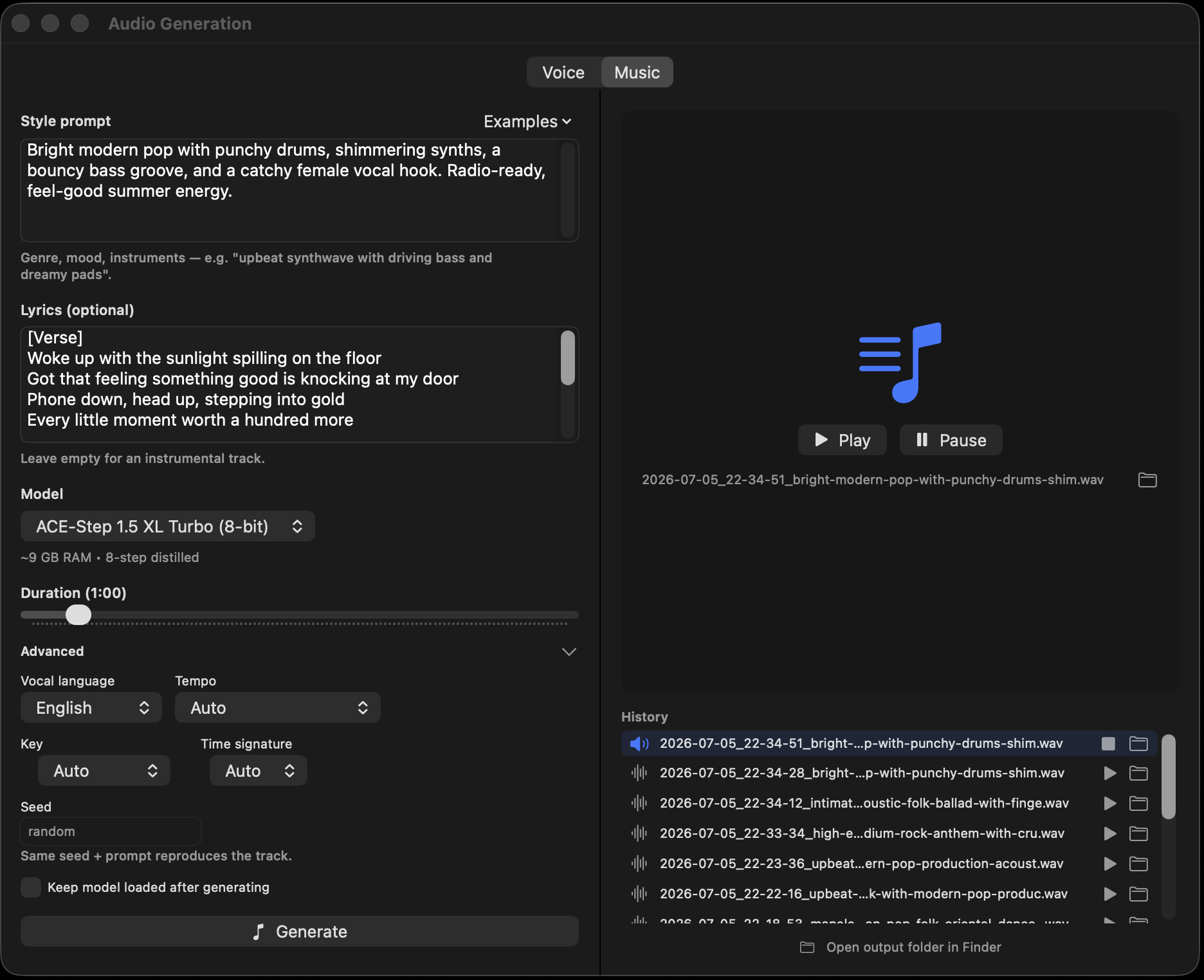
Open the Audio pane's Music tab, describe the style — genre, mood, instrumentation — and generate. Want vocals? Paste lyrics (verse/chorus tags steer the arrangement) and pick the vocal language. Want control? Pin the BPM, key, and time signature; leave them free and the model chooses.
Style-prompt starters and original lyric templates ship in the Examples menus, and you can save your own to reuse. Every track lands in a persistent history — play, stop, reveal in Finder — with a settings file beside it recording the exact prompt, lyrics, and parameters, so any take is reproducible.
A music diffusion model, ported natively
ACE-Step 1.5 XL Turbo runs on the same no-Python engine as everything else here: a text encoder conditions a 32-layer diffusion transformer, an audio VAE decodes to waveform, and the turbo schedule needs just 8 steps end to end. The port is validated against the reference implementation with per-component numerical oracles.
One click downloads the converted model (~6.3 GB); it generates comfortably in about 9 GB of memory, loads on demand, and frees itself afterwards — chat and music coexist in one server process.
- No subscription, no credits — generate all night on your own silicon.
- Your lyrics stay yours — nothing you write leaves the machine.
- Works offline — once the model is downloaded, airplane mode is fine.
When the voice is the point
MiniMax Music 3 writes full songs: an 8B language model composes the track frame by frame from your style caption and lyrics, then a diffusion decoder renders it at 44.1 kHz. It is the strongest vocal model in the lineup, with songs up to six minutes. Lyrics are required, and structure tags like [verse] and [chorus] go on their own lines; tempo, key and meter live in the caption rather than in controls.
Ask the chat for a song and the bundled music3 skill writes the three-block caption format the model was trained on, plus original lyrics, instead of a one-liner. ACE-Step stays the fast option at 8 steps.
- Sings your lyrics — the strongest vocals shipped here.
- Songs up to 6 minutes at 44.1 kHz.
- 13.6 GB download, about 20 GB of memory to run.
- music3 chat skill writes the trained caption format for you.